
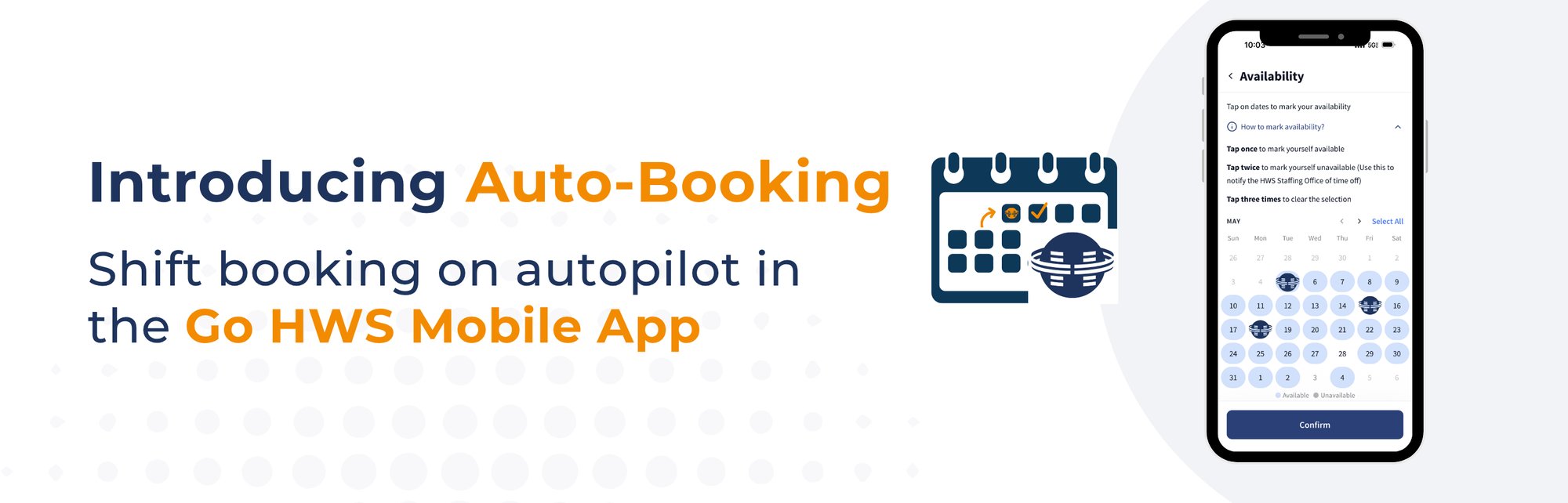
As a per diem nurse or healthcare professional, your time is valuable, and finding new shifts shouldn't feel like a second job. Put shift booking on autopilot with Auto-Booking in the Go HWS Mobile App—a new feature that automatically books shifts that match your schedule and lifestyle.
Whether you want to be the first in line for the best shifts or spend less time searching for them, now you can let your next shift find you.
> Download the Go HWS Mobile App and start auto-booking today!
How to Start Auto-Booking Per Diem Shifts
Auto-Booking puts your preferences and availability to work in the background so you can automatically get per diem shifts that match how and when you want to work. Best of all, setting it up in the Go HWS Mobile app only takes a few minutes:
Follow these quick steps:
- Login to the Go HWS Mobile App — Open the app and sign in.
- Select My Schedule — Tap the My Schedule button at the bottom of the screen.
- Tap the Calendar Icon — You’ll find it in the top right corner.
- Enable Auto-Booking — Turn on Auto-Booking under "Work Preferences."
- Set Your Work Preferences — Choose your specialty and set your preferences for location or facility, and shift time to customize your schedule. You can also add a 2nd and 3rd choice for your preferences.
- Confirm Your Availability — Choose when you're free to work, mark on the calendar when you aren't.
You’re all set! Now, the Go HWS Mobile app will automatically book per diem shifts that match your selections and notify you, helping you spend less time searching and more time doing what matters most.
Why Auto-Booking Helps You Work Smarter
Leave the manual shift searching behind and discover opportunities that fit the way you want to work, making it easier to move from "I'm available" to "I'm booked" without adding another task to your day. For nurses looking for a smarter shift scheduling experience, here's how Auto-Booking works:
1. Your Preferences, On Repeat
Choose what works for you. Skip what doesn’t.
No two nurses work the same schedule, and Auto-Booking was designed with that in mind. Select your preferred specialty, facilities, locations, and shift types, and the app uses those selections to help identify shifts that fit your goals.
Avoid starting from scratch every time you open the app, your preferences continue working in the background, helping create a more personalized scheduling experience.
2. Let Your Availability Do the Talking
Your schedule, your way.
You already know when you want to work and when you want time off for some much-needed self-care. Once your availability is set, eligible opportunities can be matched to the schedule you've already defined, helping connect you with shifts that fit your lifestyle.
Instead of actively searching for new opportunities throughout the day, the availability you select becomes the foundation for a shift scheduling experience built around when you want to work, not the other way around.
3. Less Guesswork. More Get-Work.
Spend less time searching and more time getting booked.
Finding the right per diem shift often requires time, attention, and a little luck. Instead of relying on perfect timing to catch the right shift, the app can automatically secure eligible opportunities that match the criteria you've selected. That means less time refreshing the app and more time focusing on work, family, and everything else competing for your attention.
4. Stay Flexible. Stay in Control.
Built around the way you want to work.
One of the biggest benefits of per diem nursing is flexibility, and Auto-Booking was built to support it, not replace it. You remain in control of where you work, when you’re available, and which opportunities fit your goals. Auto-Booking simply helps bring those preferences together in a smarter way, making it easier to stay connected to the shifts you want.
> Ready to try the Go HWS Mobile App? Download it here
Start Auto-Booking on Go HWS Mobile
Ready to put your schedule on Auto‑Pilot? Auto‑Booking is now available in Go HWS Mobile on both iOS and Android for per diem shifts. Simply set your shift preferences, update your availability, and turn on Auto‑Booking to help make shift scheduling simpler, giving you more time to focus on your career and less time managing your schedule.